
 Varazdat S.
 Janis Tirtey
The Short Answer
A spokesperson is a role you keep, not a clip you make once
An AI spokesperson video is a video in which one AI character speaks for your brand: it explains the product, answers the common question or reads the weekly update. What makes it a spokesperson, and not just a talking avatar, is that the same face and voice return in every video, so viewers learn to recognise it.
That changes the job. A one-off avatar clip needs a good photo. A spokesperson needs a decision about the role, a character you can reuse, a script format you can repeat and a checklist you run before each upload.
This guide covers the brand side in that order. For the technical side of a single clip (photo quality, framing, the render loop), read how to create a talking AI avatar. For the tool page, see talking avatar AI.
Define the Spokesperson Role First
Four answers before any face exists
Write four lines before you create anything:
- What it covers. One recurring job, for example "explains one feature in 30 seconds" or "reads the Friday update".
- Who it talks to. One audience, described well enough that you can decide what to leave out.
- How it sounds. Three adjectives and one thing it never says. Pick a voice for the same reason: pace and warmth matter as much as words.
- What it is not. The spokesperson is a fictional AI character. It is not a real employee, and it should never claim to be one.
Only then decide how it looks. A face that fits the role (approachable for support, calm for finance, energetic for a creator brand) is easier to keep than a face you pick first and then invent a job for. If you want a longer worksheet for this step, use the AI persona generator guide.
From Character to Finished Clip
The actual sequence in the RYLA builder
This is the real sequence, in order:
- Pick a niche, then gender and style (your role and audience).
- Set the look: ethnicity, age, skin, eyes, face shape and hair.
- Choose outfit and scene, then personality and a name, then a voice (the spokesperson's wardrobe, setting and sound).
- Generate base images and pick the one that becomes your spokesperson.
- RYLA generates a reference sheet of that face. Keep it: it is your brand asset.
- Finalize, then create the video in Avatar Video with a script and the voice you chose. Make stills for thumbnails and posts in Studio from the same character.
Here is one RYLA character from the showcase on this site, in two scenes, which shows what the same face looks like across different settings:
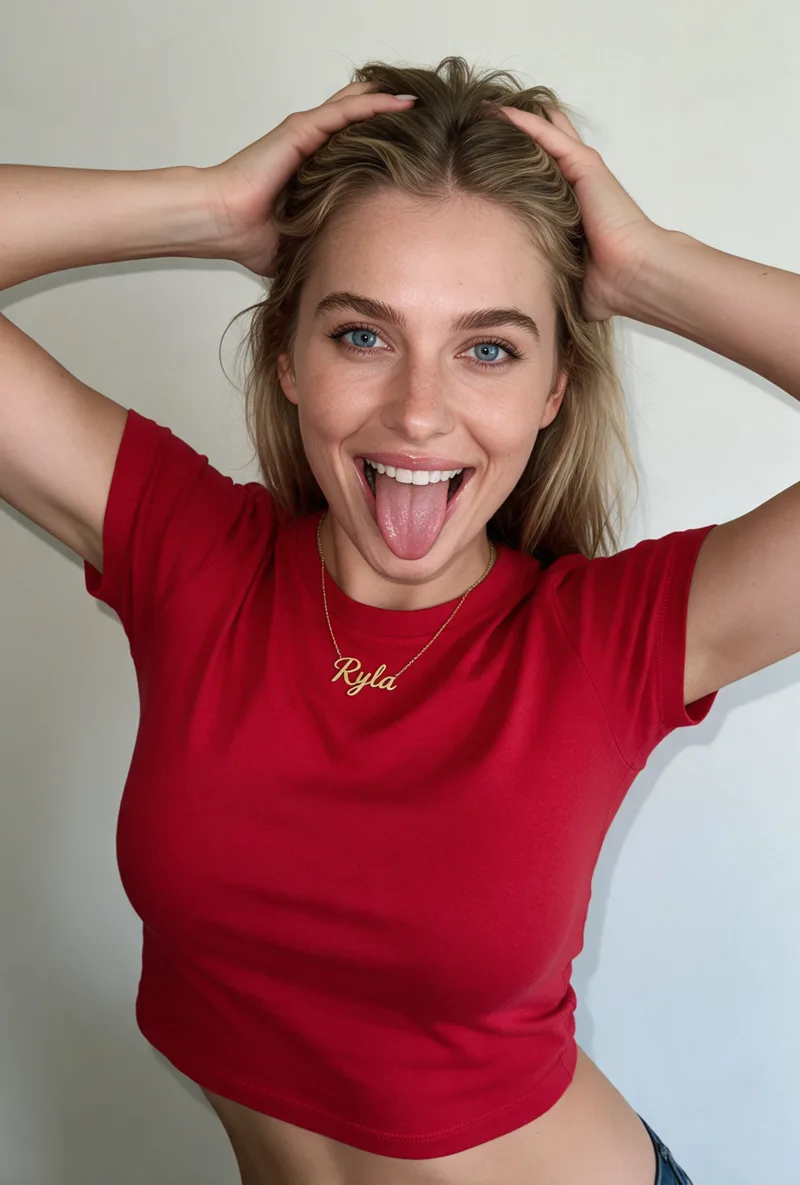
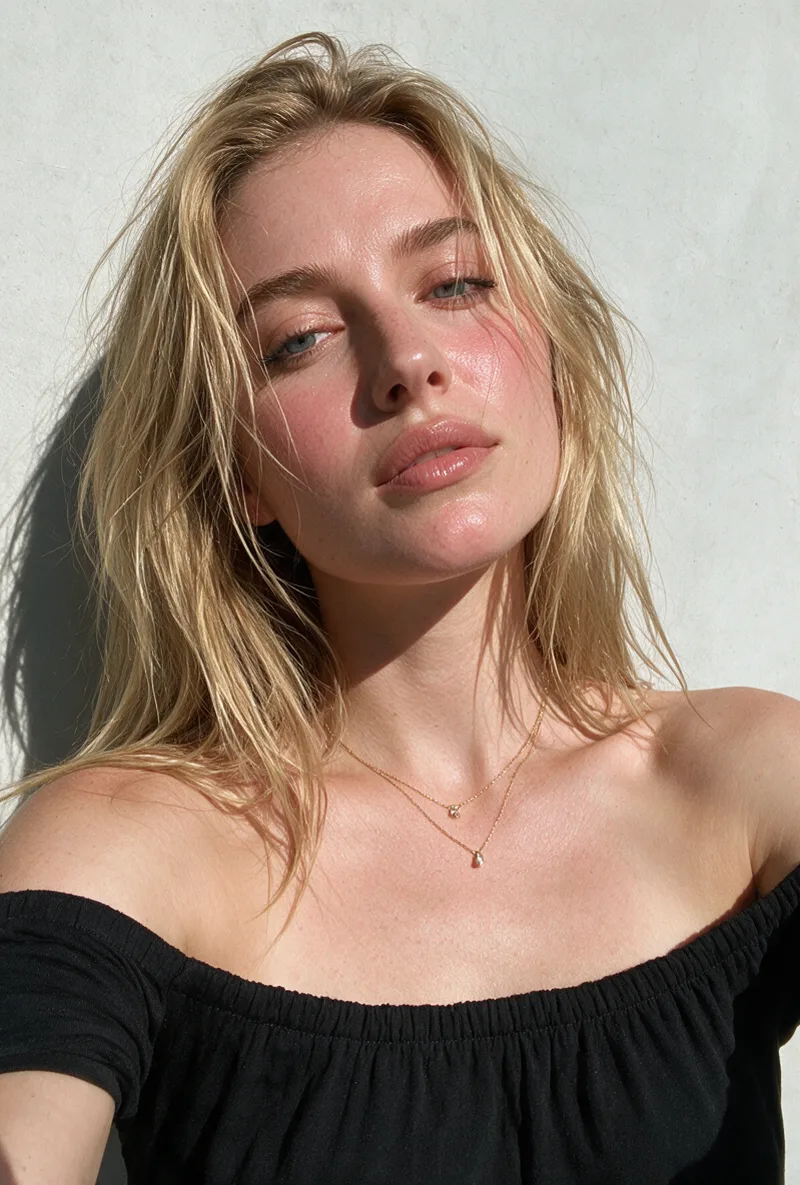
For the full character build, see how to create an AI influencer. Plans are on the pricing page. RYLA builds fictional characters, and nothing in the builder requires photos of a real person.
Write a Script That a Spokesperson Would Say
One structure, repeated, makes a series
Use the same short structure in every video, so the format becomes part of the brand:
- Hook (one sentence). The question or the result, said first.
- Point (two to four short sentences). One idea, one example.
- Next step (one sentence). What the viewer should do or watch next.
Write for the ear. Short sentences, natural pauses and no run-on clauses give the lip-sync clearer places to breathe. Read the script aloud once before you generate; any sentence you stumble on will sound worse in a render. Keep the character's own voice from your role sheet, so a script never sounds like generic narration.
Keep claims in the script to what you can show. A spokesperson who states a price, a number or a promise is making that claim for your brand, so check each one against your own source before it is spoken.
Create Your Brand Spokesperson
Design one AI character, keep its reference sheet and turn scripts into talking clips. Free to start.
Start Free TrialThe Script-to-Publish Checklist
Run it on every clip, the same way
Copy this table into your content notes. A spokesperson only stays recognisable if the checks do not change from video to video.
| Step | Check | Done when |
|---|---|---|
| Script | Hook, point and next step; each claim has a source | Read aloud without stumbling |
| Character | Same reference sheet and the same voice as the last video | Face and voice match the previous clip |
| Render | Watch the full clip, not the first seconds | Lip-sync holds at the longest sentence |
| Redo | Adjust pacing or voice speed, then regenerate | Two to three passes is normal |
| Captions | Add captions for sound-off viewing | Text matches the spoken words |
| Format | Export for the platform (vertical for short-form feeds) | Face is not cropped by the platform UI |
| Label | Say that the spokesperson is an AI character | Label set in the platform and in the caption |
| Archive | Save script, voice setting and final clip together | You can rebuild the video next month |
On the label: platforms and regulators increasingly ask creators to disclose realistic AI content. See AI content disclosure rules for what to check, and check the current rules of each platform before you publish.
Common Mistakes
What breaks a spokesperson across videos
Starting from the face. Pick the role first, or the character ends up with nothing consistent to say.
A new look for every video. The point of a spokesperson is recognition. Keep one reference sheet and reuse it, as in AI influencer consistency.
Changing the voice between clips. Viewers notice a new voice faster than a slightly different outfit.
Publishing the first render. Watch the whole clip and redo it once or twice. See how to lip-sync an AI character for the details.
Letting it pose as a person. Say it is an AI character, and never give it a real person's name or credentials.
No archive. Without the saved script, voice and reference sheet, the next video starts from zero.