
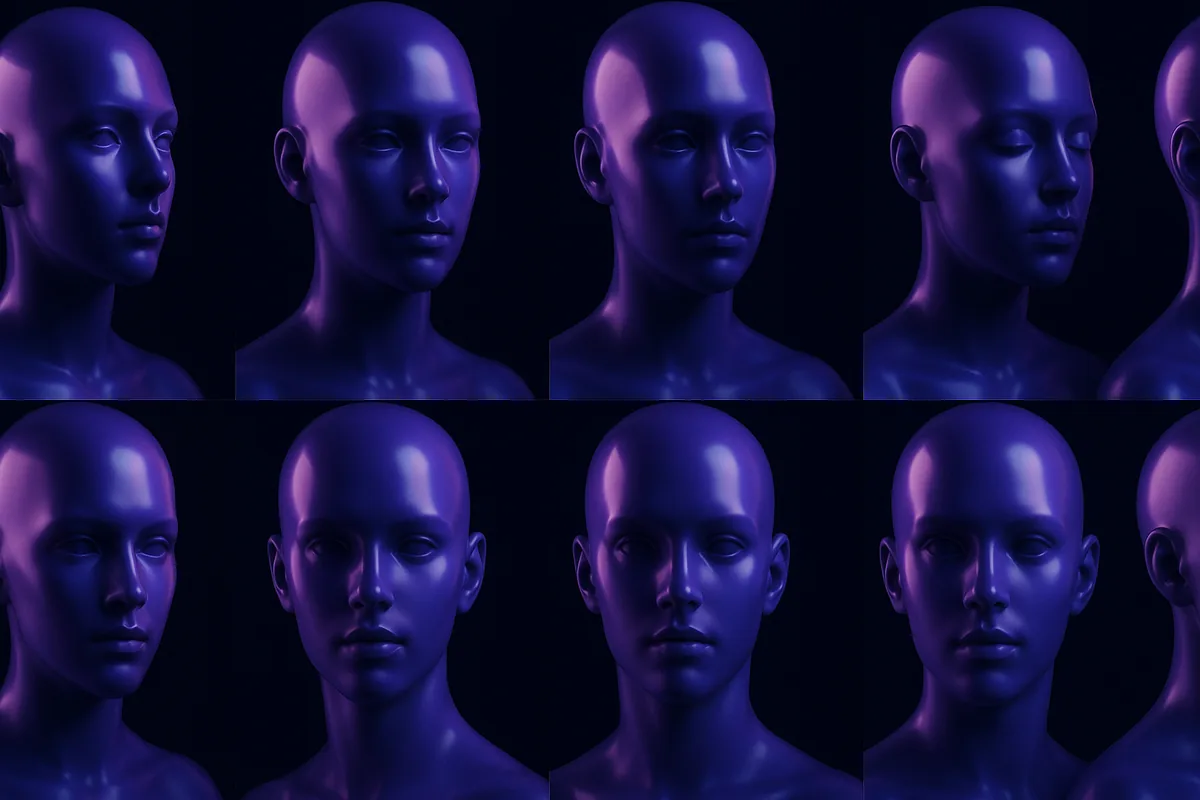
Why Consistency Is the Hardest Problem in AI Influencers
One face, every single time, or the whole illusion breaks
AI influencer consistency means the same character, the same bone structure, the same signature features, shows up correctly in every pose, outfit, lighting setup, and video clip you generate, instead of a new-looking stranger every time you hit generate. That single sentence is the hardest technical problem in building an AI influencer, and it is the detail that separates a professional persona from a random image generator.
Every AI influencer creator hits the same wall eventually: you generate a stunning first photo, then ask for a second pose and get a completely different person. Same prompt, same character name, different face. It is not a minor bug, it is the thing that decides whether an audience treats your character as a real, recognizable persona or as a slideshow of unrelated strangers.
The stakes here are real money, not just aesthetics. The influencer marketing industry is worth an estimated $32.55 billion a year as of 2025 (Statista), and virtual influencer accounts that get consistency right already pull close to three times the engagement rate of human influencer accounts, according to HypeAuditor's ongoing analysis of the top virtual accounts on Instagram. That advantage depends entirely on followers recognizing the same face, post after post. Break consistency and you do not just lose one good photo, you lose the thing the whole account is built on.
For anyone learning what an AI influencer actually is, this is the detail that gets skipped in the hype. The appeal of an AI influencer is a durable, recognizable character you can build a brand around. Without consistency, you do not have a character. You have an endless stream of strangers who happen to share a name.
Why Do AI-Generated Characters Look Different Each Time?
The technical reason your character keeps changing
Most AI image generators do not actually "know" your character. Each generation starts from random noise and denoises it step by step, guided only by your text prompt. A prompt like "a young woman with brown hair and green eyes, smiling" describes a category of faces, not one specific face. The model is free to invent a new brown haired, green eyed woman every single time, because nothing in the prompt pins down the exact bone structure, nose shape, or eye spacing that makes one face read as "the same person" to a human viewer.
This is called identity drift, and it happens for a few concrete reasons:
- Random seed: the starting noise pattern is different on every generation unless it is explicitly locked.
- Prompt looseness: text descriptions capture broad traits (hair color, general vibe), not the hundreds of subtle facial measurements a human brain uses for recognition.
- Pose and angle changes: even setups that hold a face steady in a straight-on portrait often lose it the moment you ask for a side profile, a new outfit, or a full body shot.
- Model or checkpoint updates: swapping models between generations, or a provider silently updating a model version behind the scenes, changes the "average face" the pipeline draws from. That is why a character that looked right last month can drift after a model update with no change to your own prompt at all.
The result: two images generated five minutes apart, both technically matching your text prompt, can look like two different people. That gap between "matches the description" and "is recognizably the same person" is exactly the problem every method below tries to close.
How Do I Keep an AI Character's Face Consistent?
Four techniques, in the order most creators should try them
There are four real techniques for holding a face steady across generations, and most professional AI influencer accounts end up combining two or three of them rather than relying on just one.
- Lock the random seed to reproduce one exact successful shot. Free and instant, but it does not survive a prompt change.
- Train a LoRA on 15 to 30 reference images of your character for the strongest long-term consistency, at the cost of setup time and a training run per character.
- Use an identity or reference adapter to condition new generations on one or a few reference photos with no training step, faster to start but more sensitive to reference image quality.
- Apply face swap after generation to lock the correct face onto a shot whose pose, outfit, and scene are already right, especially useful for video and group scenes.
Each technique is covered in detail below, including exactly where it breaks down, followed by a side-by-side comparison table so you can pick the right one for your situation instead of guessing. If you are designing a character from scratch rather than fixing drift on an existing one, our AI character design guide walks through building a reference sheet before you generate a single image.
Build a Character That Never Changes Its Face
Create your AI influencer once in RYLA and every future image, pose, and video keeps the same locked identity automatically.
Start Free TrialFixed Seeds: The Simplest Fix, and Why It Falls Short
Good for reproducing one shot, not a whole character
The most basic fix creators try first is locking the random seed, the number that determines the starting noise pattern. Reuse the same seed with the same prompt and model, and you get the exact same image back, pixel for pixel.
That sounds like a solution, but it only solves the narrowest version of the problem. A locked seed reproduces one image; it does not generalize to new poses, new outfits, or new backgrounds. Change a single word in the prompt (swap "standing" for "sitting") and the seed produces an entirely different face again, because the whole generation pipeline reshuffles around that new instruction. Seeds are useful for reproducing a single successful shot, but they are not a character consistency system. They cannot carry a face from a portrait into a full body pose, into a video clip, or into a new scene.
LoRA Training: Teaching the Model One Specific Face
The heavyweight option, and its real tradeoffs
A LoRA (Low-Rank Adaptation) is a small, additional set of weights trained on a handful of reference images of one specific character. Instead of describing a face in words, you show the model examples of it directly, typically 15 to 30 images from different angles, lighting setups, and expressions. The LoRA learns the visual pattern of that face and can then be applied on top of a base model to steer any new generation toward the trained identity.
LoRA training is genuinely powerful for consistency; it is how many serious AI influencer creators lock a face in. The tradeoffs are real, though:
- Training takes time and reference material. You need clean, varied source images before you start, which is a chicken and egg problem for a brand new character.
- A LoRA trained on too few or too similar images tends to overfit; the character starts looking rigid, or drags along an unwanted expression or lighting style from the training photos.
- Every character needs its own LoRA. That is fine for one persona, but expensive in time and compute across several AI influencer accounts.
- Meaningfully changing the character's appearance later (different hair color, aging up or down) usually means retraining.
Done well, LoRA based consistency is close to hiring the same model for every shoot. Done poorly, it becomes a maintenance burden that eats hours a creator would rather spend on content and growth.
Identity and Reference Adapters: Consistency Without Retraining
Faster to set up, more sensitive to input quality
A newer class of tools, identity and reference adapters, skips training entirely. Instead, you feed the model one or a few reference photos at generation time, and the adapter extracts a compact representation of the face, an identity embedding, and injects it directly into the generation process. The model then builds the new image around that embedding instead of a plain text description.
The appeal is speed: no training run, no waiting, works from a single strong reference photo, and can often be swapped between characters instantly. The tradeoffs show up in different places than LoRA:
- Quality depends heavily on the reference photo. A low resolution, poorly lit, or extreme angle reference produces a shakier identity match.
- Some adapters hold a face steady on frontal portraits but weaken once you push into extreme poses, group shots, or unusual camera angles.
- Adapter and model compatibility varies a lot; pairing the wrong adapter with the wrong model format is a common, easy to miss failure mode that produces blurry or subtly wrong faces.
For creators who want to iterate fast, or who are still finding a character's final look, identity adapters are usually the more forgiving starting point than committing to a full LoRA training run. This is also how LoRA and reference-image conditioning maintain consistency without you managing the mechanism directly: both feed the model a compact representation of your character instead of a text description alone, just at different points in the pipeline (training time for LoRA, generation time for an adapter).
Face Swap: Locking the Face After the Shot Is Already Right
Separating composition from identity
Face swap takes a different angle on the same problem: generate the pose, outfit, and scene freely, letting the model do what it is naturally good at, then swap in the correct, consistent face afterward as a separate step. This decouples "does the composition look good" from "is this the right face," which is often easier to control than forcing both at once inside a single generation.
This is especially useful for two situations that trip up pure text to image consistency: complex group or interaction scenes, where locking one character's identity while generating everyone else naturally is hard, and video, where identity has to hold steady across dozens or hundreds of frames, not just one still image. RYLA's face swap tool is built for exactly this: apply one locked identity onto new footage or new generations without redoing the whole shot from scratch.
The limitation: face swap quality depends on how well the swap blends with the target image's lighting, angle, and skin tone. A rushed swap on a mismatched angle is one of the most common ways an otherwise good AI influencer photo gets caught out as synthetic.
How to Keep Consistency in AI Video
Temporal consistency: holding one face across every frame, not just one still
Photo consistency and video consistency are not the same problem. A still image only has to get one face right. A video clip has to get the same face right across dozens or hundreds of frames in a row, and the human eye is extremely good at catching the moment a face subtly warps mid-motion, even when it would never notice the same shift comparing two unrelated photos side by side.
This is called temporal consistency, and it fails in a specific way: a face that looks perfectly locked on frame one can drift by frame forty as the model regenerates or reinterprets the scene frame by frame, especially during fast motion, a turning head, or a big lighting change within the clip. Three approaches handle this in practice:
- Image-to-video generation from one locked reference image. Instead of generating a video from a text prompt alone, the clip is generated starting from a single still image of your already-consistent character, which anchors the identity for the whole clip rather than re-deriving a face from scratch on every frame. RYLA's image to video tool works this way: animate a photo of your existing character rather than describing a new scene and hoping the face holds.
- Keyframe anchoring. Longer or more complex clips can re-anchor to the reference identity at intervals through the clip, correcting drift before it compounds across dozens of frames instead of only checking the first frame.
- Face swap as a video cleanup pass. For footage where the composition, motion, and scene are already right but the identity needs to be locked afterward, applying face swap across the whole clip frame by frame is often more reliable than trying to force perfect identity retention during the original generation.
The practical rule: never approve video output from just the thumbnail frame. Watch the whole clip. Identity drift in video is the single most common way an otherwise convincing AI influencer account gets caught out as synthetic, because it shows up mid-motion, in exactly the moment viewers are not consciously looking for it.
Comparing the Consistency Methods
Which approach fits which situation
| Method | Setup effort | Works across poses/scenes | Best for |
|---|---|---|---|
| Fixed seed | None | No, breaks on any prompt change | Reproducing one exact shot |
| LoRA training | High, needs 15 to 30 reference images plus training time | Yes, strong once trained | A long-term primary character generated for months |
| Identity/reference adapter | Low, one reference photo | Good, weaker on extreme angles | Fast iteration, testing a look before committing |
| Face swap | Low per shot | Yes, especially for group scenes and video | Locking a face onto footage or complex scenes generated separately |
No single method wins every scenario, including the video-specific failure modes covered above. Most professional AI influencer workflows combine two or three of these: a LoRA or a strong identity adapter for the core generation, plus face swap as a cleanup pass for video and group content, plus a fixed seed when reproducing a hero shot for merchandise or a thumbnail matters.
What Is the Best Tool for Character Consistency?
Honest answer: it depends on whether you want to manage the pipeline yourself
There is no single "best" method in the abstract, only the best fit for how much pipeline you want to manage yourself. If you want full manual control over an open model, a well-trained LoRA still gives the strongest raw consistency, at the cost of managing your own training runs, reference sets, and compute. If you want a face that stays locked without learning what a LoRA or an identity adapter even is, a platform that builds identity handling into the product itself is the better fit, and that is the category RYLA competes in.
RYLA's honest strength is not that it invented a new consistency technique; the underlying methods (identity conditioning matched per generation model, applied automatically) are the same family of techniques described above. The difference is that a creator never has to choose between fixed seeds, LoRA training, and adapters, or manage any of them directly. You lock a character's look once, and every future image, pose, outfit, scene, and video clip pulls from that same identity automatically, across the whole pipeline rather than one model at a time. That matters most for creators posting daily who do not want pipeline maintenance to become a second job; it matters less for a researcher who specifically wants raw model access to experiment with training parameters.
If your priority is building a durable character fast and moving on to content and growth, start with RYLA's character creator rather than assembling seeds, LoRA, and adapters yourself. If your goal is a virtual influencer built through a fully custom CGI or 3D pipeline instead of a generator, our build a virtual influencer guide compares that path honestly, including where it still wins.
Lock a Face Onto Any Shot
Already have footage or images that need the right face? RYLA's face swap keeps one identity consistent across every frame.
Start Free TrialHow RYLA Keeps One Identity Consistent Across Everything
One character, one locked identity, every surface
RYLA's technical approach layers on top of the honest tradeoff above: rather than asking users to choose between seeds, LoRA training, and adapters, a choice most non-technical creators have no real way to evaluate, RYLA builds a canonical identity for each character once, during creation, and applies it automatically across every surface: static images, pose variations, outfit changes, scene changes, and image to video generation.
Under the hood this uses a per-model identity adapter architecture matched to the specific generation pipeline in use, so the same character stays recognizable whether you are generating a studio portrait, a casual selfie style shot, or a moving video clip. The practical result for a creator: create an AI influencer once, and every future generation, in a new outfit, in a new location, in a new video, pulls from that same locked identity without needing to re-upload references or manage a LoRA file yourself. For creators building a photorealistic persona, this consistency also underpins RYLA's AI girl generation, where identity has to survive dozens of poses and outfit changes across a single content calendar.
The RYLA Consistency Test: 5 Identities, 10 Scenarios, 50 Generations
An original, first-hand identity-retention benchmark, not a marketing claim
Every consistency claim in this guide, including RYLA's, is easy to state and hard to verify from the outside. So instead of asking you to take our word for it, here is exactly how the identity holds together mechanically, plus the same test method we use internally, so you can run it yourself in a few minutes and judge the result with your own eyes.
How RYLA holds one identity across every surface. Every character gets a canonical identity established once, at creation. From there, a per-model identity adapter (matched to whichever generation pipeline is running: a static image, a pose or outfit change, a new scene, or image-to-video) conditions each new generation on that locked identity instead of re-deriving a face from a text prompt. That is the mechanical reason a straight-on portrait, a side profile, an outdoor scene, and a video clip of the same character all read as the same person: they all pull from one stored identity, not five independent guesses.
Run this yourself: the 10-scenario consistency checklist. Lock a character's identity once inside RYLA, then generate across these ten scenarios, the same set we stress-test internally, and score each output on a simple three-tier scale (strong match, minor drift, identity broken):
- Straight-on portrait, the baseline shot.
- Side profile or angle change.
- Outfit change.
- Expression change.
- Lighting change.
- Indoor to outdoor.
- Close-up to wide shot.
- Group or interaction scene.
- Image-to-video (watch the full clip, not just the thumbnail frame; temporal drift only shows up in motion).
- A repeat of scenario 1 after generating the other nine, to check the identity has not quietly drifted over a working session.
Compare each result side by side against your original reference generation. A character that holds a strong match across most of these, with only minor, explainable drift on the hardest cases (extreme angles, fast motion), is doing exactly what identity-locking is supposed to do. This is the same rubric we use internally to evaluate our own generation pipelines before they ship, and it gives you an evidence-based answer instead of a marketing claim, using your own character and your own eyes.
Practical Tips to Keep Your AI Character Consistent
What actually moves the needle, in order
- Lock your reference photos early. Before generating hundreds of posts, settle on 3 to 5 clean, well lit reference images from different angles. Every downstream method, LoRA, adapters, or face swap, is only as good as this source material.
- Generate a hero shot first, then reuse it. Get one image that perfectly matches your intended character, then use that specific image, not the original text prompt, as the reference for everything after.
- Test new poses before batch generating. Before queuing 50 images in a new outfit or setting, generate 2 to 3 test shots and check the face holds up. Catching drift early saves a full re-shoot later.
- Keep lighting and angle reasonable. Extreme angles and unusual lighting are the most common cause of identity slippage, even with strong adapters. Stay within a moderate range for anything meant to look consistent.
- Review video at every critical moment, not just the thumbnail. Video consistency fails silently; a face can drift mid clip in ways that only show up on playback, not on the preview frame.
- Don't re-reference more than necessary. Every time you swap in a new reference set, you risk a subtle shift in the character. Once a look is locked, protect it like a brand asset.
Common Mistakes That Break Consistency
What quietly ruins a locked-in character
- Changing the prompt wording between shots. Small wording changes, "smiling" versus "grinning", can shift more than tone; they can shift bone structure too if the identity is not strongly locked.
- Mixing reference photos from different sessions with different lighting. The model can blend traits from multiple slightly different faces if the references are not from a consistent source.
- Ignoring low resolution source images. A blurry or heavily compressed reference photo gives every downstream method less to work with, and the drift compounds.
- Skipping a quality check on video output. Static images are easy to eyeball; video needs a full watch-through, because identity drift across frames is much easier to miss than in a single still.
- Treating consistency as a one-time setup instead of an ongoing discipline. A character that looked locked in month one can drift in month three if new content keeps introducing slightly different references or prompt styles without anyone auditing the output.